Name the product type accurately
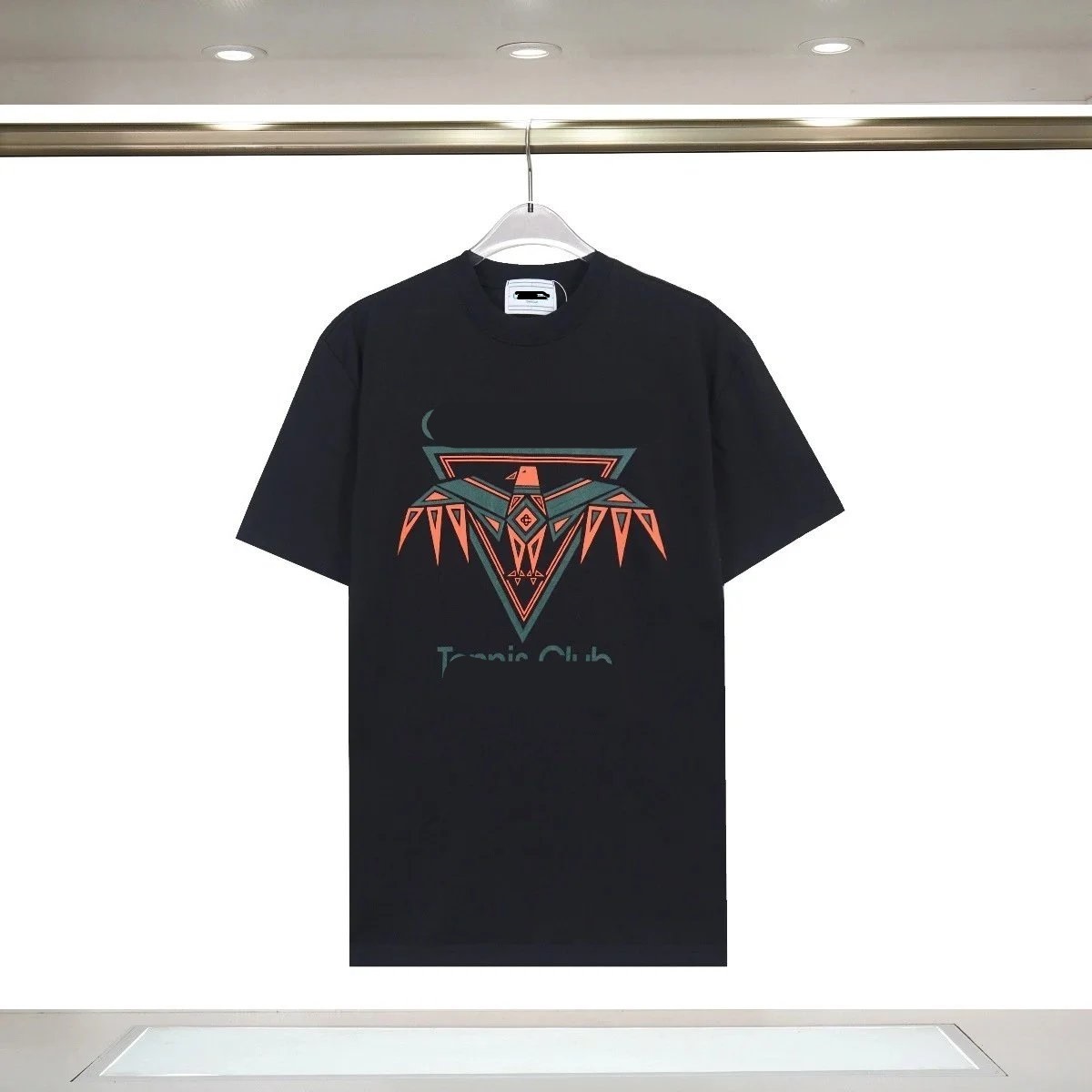
Distinguish a basic T-shirt, sports-style jersey, long-sleeve top and layered shirt before shortlisting. Search thumbnails can make them compete visually even when fabric, cut and use differ. Use a neutral label that describes the current listing and selected edition. Avoid turning a seller title into a claim about authenticity, official licensing or performance.
Record the source title, product ID and one option-linked image. If a page groups adult, youth, player-style or fan-style variants, treat those labels as seller options that require verification. The spreadsheet’s job is to preserve the route and the exact choice, not collapse several editions into one attractive find.
Keep the evidence fields separate while you work: source URL, final destination, visible product identity, exact option, displayed price, domestic freight and check time. A blank field is an open question, not permission to copy a value from a similar listing. This record makes a later recheck faster and prevents a spreadsheet snapshot from being mistaken for a current seller promise.
Build the size decision from measurements
Save chest, length, shoulder and sleeve measurements where the seller provides them, with units and measurement method. Compare them with a known garment, not only a familiar size label. Jerseys and fashion T-shirts may use different intended fits, so the buyer’s target ease should be stated before a size is selected.
When the size chart changes by edition, attach the correct chart to the intended option. A single page can contain several tables. If the mapping is uncertain, ask for clarification before purchase. Warehouse measurement can support a final check, but it should not be used to justify a size choice that had no evidence at order time.
Use three result labels: matched, partial and mismatch. Matched means the destination and required option agree with the saved record. Partial means the product family is plausible but one decision field is missing. Mismatch means the page is dead, redirected to another item or no longer carries the intended choice. Only matched candidates should proceed without another question.
Map color, print and edition together
A color selector may also change print, badge, season or back detail. Compare the option thumbnail with front and back imagery and preserve the exact label. Do not assume that the hero image represents every selection. If customization is shown, determine whether it is included, optional or merely an example.
For names, numbers or other custom text, record spelling, characters, position and any seller confirmation exactly. Manual input creates an additional error surface, so the accepted order summary must preserve the request. If the seller cannot confirm the configuration, the product should remain partial rather than being advertised as ready to order.
Do not turn price, sales activity, a familiar image or inclusion in an index into a quality claim. Those signals can help prioritize inspection, but they do not prove construction, authenticity, seller service or the condition of the unit that reaches the warehouse. The useful comparison is evidence quality and order readiness, not an unsupported best-product ranking.
Check material claims without overpromising
Use seller-provided composition and construction terms as dated listing facts. Do not infer breathability, durability or print quality from photos. Detail images can help distinguish collar, stitching, texture and print method, but performance remains uncertain before use. Mark conflicting material descriptions as open questions.
Compare candidates by how well they document the buyer’s requirement. A listing with a complete chart and explicit edition can be more order-ready than a cheaper page with ambiguous options. That is an evidence comparison, not a quality ranking. The warehouse can later show what arrived, but it cannot make an unclear order instruction precise.
Before payment, save the live page and the option text that the ordering flow accepts. If the source cannot be parsed and a manual order is needed, treat every typed field as buyer-supplied. Compare the resulting order summary against the saved record before money moves. A near match is still the wrong instruction when size, color, model or quantity differs.
Record the real selected price
Select the intended size, edition, print and quantity before capturing price. A low headline may refer to a blank item, youth size, deposit or accessory. Note any customization charge separately and record domestic freight. The first-payment screen should reconcile these amounts before purchase.
Do not mix international shipping estimates into the product row. A lightweight shirt may consolidate efficiently, but final parcel cost depends on all items, packaging, route and destination. Keep category discovery focused on verifiable listing facts and let the shipping stage handle chargeable weight and route rules.
Write one explicit stop condition for every shortlist. Examples include a missing measurement, an unexplained redirect, a price attached to the wrong quantity tier, an unavailable color or a product identifier that cannot be reconciled. Stopping is a valid research result. It is cheaper than relying on warehouse photos to solve an uncertainty that existed before purchase.
Create a visible-detail QC plan
At arrival, compare garment type, size label, selected color, front and back print, major stitching, included badge or customization and visible condition. Ask for a measurement or close-up only when it resolves a stated requirement. The plan should be short enough to review promptly and specific enough to support a decision.
Color under warehouse lighting may differ from seller photography, so use option identity and clear structural details together. A missing print, wrong edition or incorrect custom text is more concrete than a general impression. Describe mismatches in observable terms and preserve the saved seller page with the QC images.
At warehouse arrival, use the saved listing as the reference for QC rather than relying on memory. First confirm identity and option, then inspect condition and the details that matter for use. Request an additional photo or measurement only when it can change the keep-or-return decision, and review the active account promptly because seller eligibility and return timing still apply.
Publish category research without duplication
Use the category hub for current commercial browsing and the article for the decision method. Individual finds should link to exact current destinations and carry concise option notes. Avoid creating multiple pages that all target the same broad Joyagoo spreadsheet phrase; each article should solve a distinct category problem and link naturally to the main index. Clear separation also helps search engines understand which page answers the category query and which page teaches verification.
Refresh high-click items first and remove links whose selected edition disappears. If a replacement is worthwhile, create a new record and new checked date. Track category clicks, product clicks and search terms so future content responds to demonstrated interest. This is a safer growth loop than adding articles solely because a keyword appears related.
Maintain the page as a dated research route. Reopen high-use links first, follow redirects, compare identity and option structure, and update a checked date only after a real review. If a link changes, label or remove it instead of silently replacing the destination while preserving the old image or product ID. Transparent maintenance is more valuable than a larger but ambiguous list.